top of page
本店 朗朗設計有限公司(LUNG LUNG DESIGN CO., LTD.)為 Echo Tech 日本官方供應來源之台灣通路商,所有產品皆為 原廠正貨(Official Company Goods)
👉 技術支援/客服時間:13:15~22:15
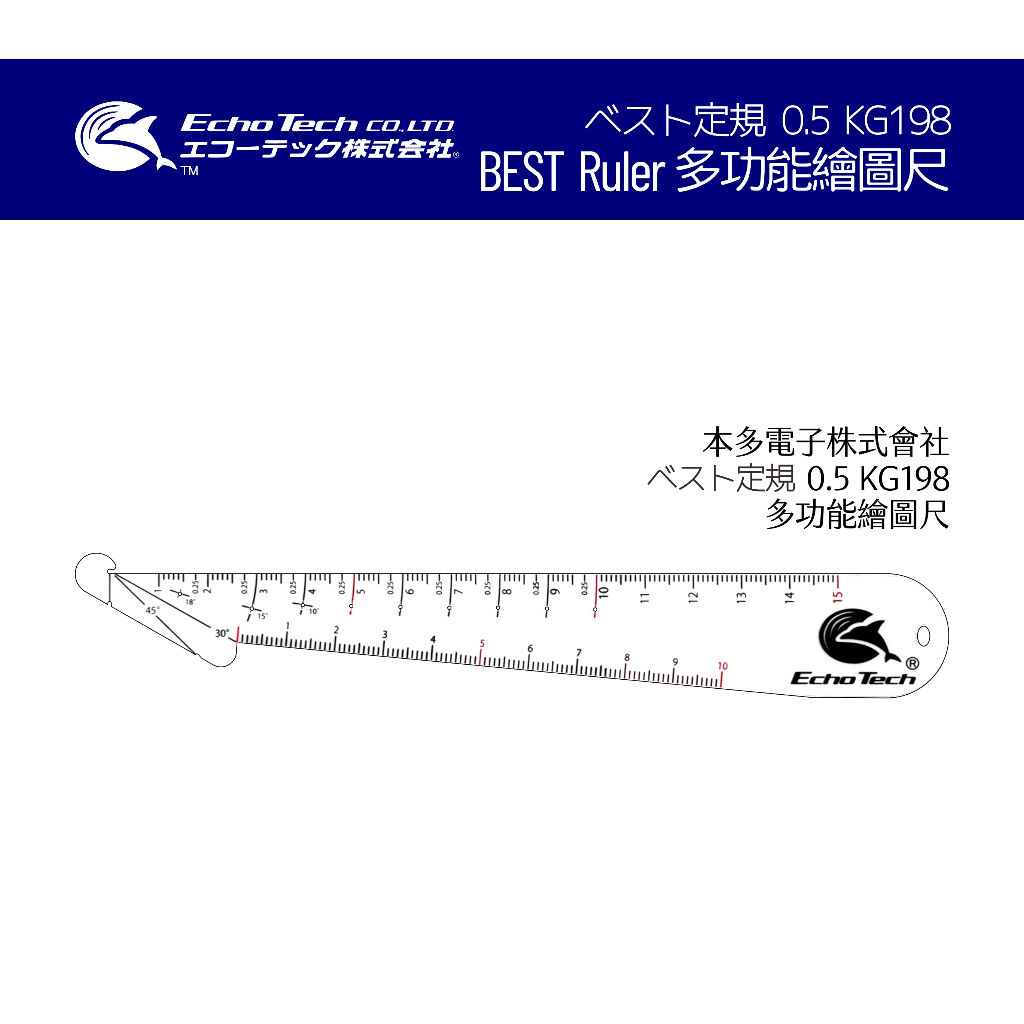
特殊開發的多功能繪圖尺
可以繪製特殊角度(10°、15°、18°、30°、45°、90°)
可以繪製圓形(半徑=4/5/6/7/8/9/10cm 圓弧)
可彎曲丈量弧長,可量測內外徑
外出繪圖的好工具,一把抵多把!
👉 技術支援/門市預約/客服時間:13:15~22:15
現貨供應
下單後兩個工作天到貨
*本網頁圖面說明皆為本公司智慧之結晶,依法受到智慧財產權利人之權利保護
*禁止轉載/並不授權他人自行引用,盜圖使用必追究相關責任
#本多電子 #超音波刀 #多功能繪圖尺 #丈量

EchoTech BEST Ruler 0.5 多功能繪圖尺

NT$350價格
已含  稅金 |
數量

      全部影片

      全部影片

      全部影片
      所有類別
      Howto & Style
      Make a Smart Vinyl Decal with Cricut Maker 3
      02:44

      Make a Smart Vinyl Decal with Cricut Maker 3

      Cricut Maker 3 Overview
      01:59

      Cricut Maker 3 Overview

      Design Space Intro for Cricut Maker 3
      02:09

      Design Space Intro for Cricut Maker 3

      What are Smart Materials
      00:54

      What are Smart Materials

      How to setup a long canvas in Design Space
      01:32

      How to setup a long canvas in Design Space

      Learn to choose between No Mat, Mat or Multiple Ways
      01:18

      Learn to choose between No Mat, Mat or Multiple Ways

      Loading Smart Materials
      00:58

      Loading Smart Materials

      How to use the Roll Holder
      01:24

      How to use the Roll Holder

      Applying long lengths of vinyl with transfer tape
      02:06

      Applying long lengths of vinyl with transfer tape

      Tips for Cricut Smart Vinyl
      02:25

      Tips for Cricut Smart Vinyl

      Tips for Cricut Smart Paper Sticker Cardstock
      01:34

      Tips for Cricut Smart Paper Sticker Cardstock

      Tips for Cricut Smart Iron-On
      01:58

      Tips for Cricut Smart Iron-On

      How to Use Pens with Cricut Maker | Cricut Maker | Cricut™
      01:49

      How to Use Pens with Cricut Maker | Cricut Maker | Cricut™

      隱私權與服務條款

      本公司享有網站文章之著作權

      若有重製、抄襲必定依法追究
      朗朗設計有限公司 |
      54650711

      info@lunglungdesign.com

      02-23940052/13:15~22:15

      ©2025 by lunglungdesign

      朗朗設計有限公司

      bottom of page